Key Fingerprint Security Badge Vector
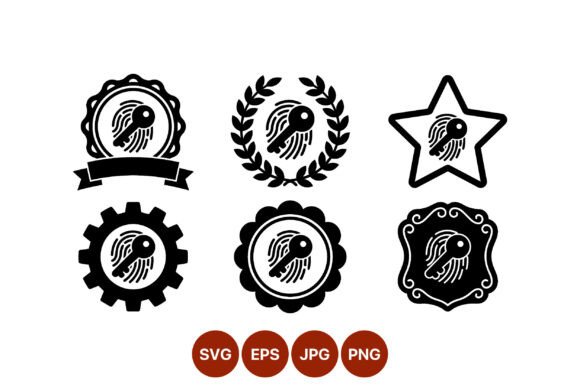
In the crowded landscape of digital design, clarity is often the most powerful aesthetic choice. When you need to communicate trust, verification, or access control instantly, abstract concepts can fall flat. This is where a Key Fingerprint Security Badge Vector becomes an essential asset for designers and creators. It merges two universally recognized symbols—the key representing access and the fingerprint representing unique identity—into a single, cohesive visual statement. Unlike generic clip art that blurs at high resolutions, this specific collection offers six distinct black-and-white icons, each framed by a unique decorative border. The result is a versatile toolkit that balances modern security needs with classic design elegance.
The Power of High-Contrast Visuals
The decision to utilize a monochromatic palette in security iconography is rarely accidental. Black and white imagery strips away distraction, forcing the viewer to focus on the form and meaning of the symbol. In the context of a Key Fingerprint Security Badge Vector, this high-contrast approach ensures legibility across various mediums, from tiny mobile app icons to massive outdoor banners. The stark difference between the ink and the background creates a visual weight that commands attention without shouting.
Furthermore, the technical specifications of this asset set are designed for professional workflows. Being 100% vector-based means the artwork scales infinitely without losing definition. Whether you are placing a small badge on a business card or projecting it onto a conference screen, the lines remain crisp and the details sharp. The inclusion of SVG, PNG, JPG, and EPS files in the download ZIP folder ensures compatibility with almost every software environment a designer might encounter. You can drop these assets into Adobe Illustrator for complex layout work, use the PNGs for web development, or hand off the EPS files for print production without worrying about pixelation or resolution limits.
Six Distinct Frames for Diverse Contexts
What truly elevates this collection beyond standard icon sets is the variety of decorative borders. Each of the six icons features the same core security motif but is housed within a different stylistic frame. This variation allows you to match the tone of your project precisely, rather than forcing a square peg into a round hole. Let’s explore how each border style serves a different creative purpose:
- The Star Border: This frame suggests excellence, achievement, or a top-tier rating. It is ideal for "Verified" badges on user profiles, certification seals for online courses, or awards for security compliance. The star adds a celebratory element to the concept of safety.
- The Gear Border: Representing industry, mechanics, and settings, the gear frame is perfect for B2B applications, IT infrastructure dashboards, or engineering reports. It implies that the security system is robust, functional, and part of a larger machine.
- The Laurel Wreath: A classic symbol of victory and honor, the laurel wreath lends an air of tradition and prestige. Use this for official government documents, heritage brands, or legal certifications where authority and history matter more than modern minimalism.
- The Ribbon Frame: Ribbons suggest movement and celebration. This style works exceptionally well for promotional materials, limited-time security offers, or campaign graphics where you want to draw the eye dynamically.
- The Scalloped Circle: Soft yet structured, the scalloped edge feels friendly and approachable. It is an excellent choice for consumer-facing apps, educational platforms, or family-oriented services where security shouldn't feel intimidating.
- The Ornate Frame: For projects requiring a touch of luxury or extreme formality, the ornate frame provides intricate detail. Think high-end banking, exclusive membership clubs, or premium service guarantees where the visual language must scream quality.
Practical Applications Across Industries
The versatility of the Key Fingerprint Security Badge Vector extends far beyond simple illustration. It solves real-world communication problems for entrepreneurs, marketers, and educators alike. Consider the small business owner launching a new e-commerce platform. Trust is the currency of online sales; customers need to know their data is safe before they enter a credit card number. Placing a subtle version of the gear-framed badge near the checkout button can subconsciously reassure users that their transaction is encrypted and secure.
For educators creating online courses, the star or laurel-wreathed badge serves as a powerful motivator. When a student completes a module, awarding them a digital certificate featuring the fingerprint icon validates their effort. It transforms a simple PDF completion notice into a tangible symbol of achievement and verified skill. Similarly, freelancers can incorporate these badges into their portfolios to highlight their own security practices, showing clients that they take data protection seriously.
Marketers running campaigns around privacy or data integrity can use the ribbon or ornate frames to create limited-edition graphics. Imagine a social media post announcing a new privacy policy update; pairing the text with a bold, high-contrast badge makes the announcement visually distinct and easier to digest. The consistency of the black-and-white theme ensures that these graphics look cohesive even when mixed with colorful brand assets, providing a neutral anchor point in a busy feed.
Maintaining Consistency and Originality
While the flexibility of these vector assets is a strength, it requires discipline to maintain a consistent brand voice. When integrating the Key Fingerprint Security Badge Vector into your workflow, establish clear guidelines early on. Decide which border style aligns best with your primary audience and stick to it for major communications. If your brand is tech-forward, the gear or scalloped circle might be your go-to. If you are in finance or law, the ornate or laurel frames will likely resonate better.
Avoid the temptation to mix all six styles randomly within a single document unless there is a specific hierarchy you wish to convey. Visual clutter can dilute the message of security. Instead, use the variations strategically: perhaps the star badge for customer testimonials and the gear badge for technical specifications. By curating your usage, you ensure that the icon remains a strong, recognizable signal rather than just another decorative element.
Remember that while the base artwork is provided, you have the freedom to adapt it. Since the files are vector-based, you can adjust line weights, invert colors to fit dark mode interfaces, or overlay textures if your project demands a specific aesthetic. However, always test your modifications to ensure the core relationship between the key and the fingerprint remains clear. The power of this symbol lies in its immediate recognizability; obscure that connection, and you lose the impact.
Empowering Your Creative Workflow
Ultimately, tools like the Key Fingerprint Security Badge Vector are about empowering you to communicate complex ideas simply. They bridge the gap between technical security protocols and human understanding. By choosing high-quality, scalable, and context-aware assets, you demonstrate professionalism and respect for your audience's time. Whether you are designing a logo, a website header, or a printed brochure, these six icons offer a reliable foundation for building trust through design. Download the files, experiment with the different frames, and find the one that speaks loudest to your specific story.